Think, Draw, Art!

for art lovers

  • Home
  • Gallery
  • Contact
  • Recent Articles
  • Article Categories
    • Daz Studio
    • 3D Art
    • 2D Art
    • Contest

Why Is There Noise in My Daz Studio Iray Render and How to Remove It

January 26, 2018 by shibashake 8 Comments

Sexy Fantasy woman with horns, standing in water, surrounded by skulls. Fantasy art. Daz Studio Iray image render.

One very common question I get about Daz Studio Iray is why is there so much noise in my Iray render and what can I do to remove it? This tutorial explores the source of noise in our Iray images, what type of scenes produce more noise, and how we can reduce this noise without losing image quality.

Filed Under: Daz Studio, Iray Tagged With: 3d art, 3d art tips, 3d art tricks, 3d images, 3d pictures, 3d-art, 3d-art-tutorial, art daz studio, daz iray, daz studio, daz studio iray, daz studio iray tutorial, daz studio noise, ds iray, fireflies, iray, iray noise, iray tutorial, noise

Daz Studio Dynamic Cloth (dForce) Tutorial for Beginners

December 19, 2017 by shibashake 23 Comments

Sexy darked haired fantasy woman sitting on the floor with lace dynamic cloth draped around her. Night time fantasy art scene with fireflies.

A beginner’s tutorial on Daz Studio’s new dynamic cloth system – dForce. In this tutorial, I apply dForce to two pieces of V4 clothing, so that it drapes over a Genesis 8 Female figure. With dForce, I can not only use Poser dynamic dresses on Genesis figures, but also older V4 dresses that did not autofit well on Genesis.

Filed Under: Daz Studio, Iray Tagged With: 3d art, 3d art beginner, daz studio, daz studio beginner, daz studio dforce, daz studio iray, daz studio iray tutorial, daz studio pose, daz studio tutorial, dforce, dforce tutorial, dynamic cloth, dynamic cloth tutorial

Pre and Post-Work Images – Redhead Warrior Woman Fantasy Art
July 20, 2017 by shibashake 4 Comments

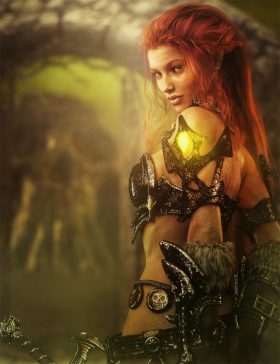
Red head warrior woman with armor and sword looking over her shoulder. Gate and skull mountain in the backdrop.

Before and after image progression of my Redhead Warrior Woman Fantasy Art.

Filed Under: Daz Studio, Iray, Postwork Tagged With: 3d art, 3d images, 3d-art, daz studio, daz studio iray, daz studio iray post-work, daz studio post-work, image, images, iray, iray post-work, irayrenders, Photoshop, post-work, postwork

5 Ways to Create ‘Soft Lighting Effects’ in Daz Studio & Photoshop
April 21, 2017 by shibashake 14 Comments

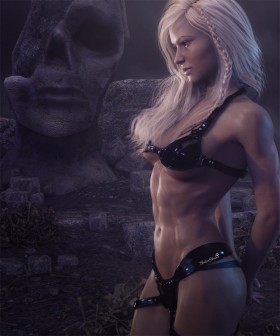
Blonde fantasy art woman standing in front of a large stone statue with bones strewn on the floor.

Some key techniques that I use to add soft lighting effects to my Daz Studio images. Come see before and after images for each of the soft lighting methods discussed.

Filed Under: Daz Studio, Iray Tagged With: atmosphere, daz studio, daz studio soft, daz studio tutorial, Photoshop, postwork, postwork tutorial, soft, soft atmosphere, soft atmosphere effect, soft effect, soft effects, soft light, soft lighting, soft lighting effect, soft postwork, tutorial

Daz Studio Iray Sunlight Tutorial

March 20, 2017 by shibashake 4 Comments

Woman in red shirt lying or sleeping on a very large clock with light and shadow patterns from the Iray Sun. Red petals are strewn about her.

This tutorial explores Daz Studio Iray sun settings. We also discuss how to combine Iray sunlight with a softer environment map to get a better balance of light and shadow.

Filed Under: Daz Studio, Iray Tagged With: daz studio, daz studio iray, daz studio iray tutorial, daz studio tutorial, iray, iray sun, iray sun tutorial, iray sunlight, iray tutorial, sun, sun tutorial, sunlight tutorial

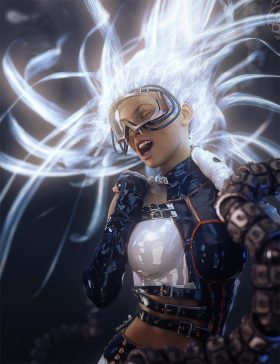
Light Emitting Shaders and Surfaces in Daz Studio Iray
January 20, 2017 by shibashake 6 Comments

Sci-Fi girl in dynamic shouting pose with bright light emitting hair. Futuristic metal tentacles are around her.

We learn emission shader settings in Daz Studio Iray by applying it to hair. Light emitting surfaces are fun, add spice to our compositions, and help create dramatic lighting effects.

Filed Under: Daz Studio, Iray Tagged With: daz studio, daz studio iray, daz studio iray tutorial, emission, emission color, emission shader, emission surface, emissive hair, emissive surface, iray, iray emission shader, iray shader, light emitting hair, light emitting shader, light emitting surface

How to Add Glow to Daz Studio Images Using Photoshop
November 21, 2016 by shibashake 6 Comments

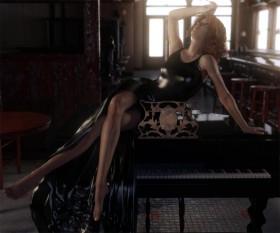
Screenshot of image after adding extra glow from our IBL layer.

Some simple steps on how I add glow to my Daz Studio images using Photoshop.

Filed Under: 2D Art, Daz Studio, Iray Tagged With: add glow, add glow image, daz studio, daz studio tutorial, glow, glow daz studio, glow image, glow tutorial, Photoshop, postwork

Daz Studio Iray Skin Tutorial

October 19, 2016 by shibashake 11 Comments

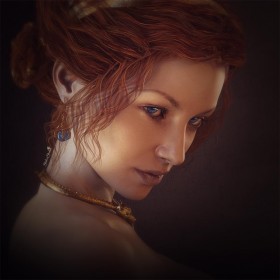
Portrait of a lady with red hair and very blue eyes. She is wearing gold dragon jewelry with blue gemstones.

In this tutorial we explore Daz Studio Iray human skin settings. In particular, we focus on how to emphasize differences in skin hues, so that we may accentuate body shape and definition.

Filed Under: Daz Studio, Iray Tagged With: daz studio, daz studio skin, ds skin, genesis skin, human skin, iray human skin, iray shader tutorial, iray skin, iray skin shader, iray skin tutorial, portrait, shader tutorial, skin shader, skin shader tutorial, skin tutorial

How I Combine Daz Studio Lights in Photoshop
September 24, 2016 by shibashake 11 Comments

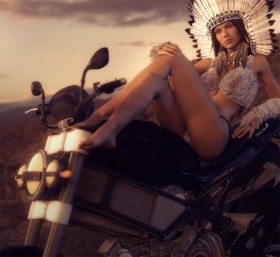
Pin-up girl dressed in Native American headdress, sitting on a classic motorcycle.

Come see how I combine my various Daz Studio light layers in Photoshop, how I add color to lights, and how I modify light layers using Photoshop masks.

Filed Under: 2D Art, Daz Studio, Iray Tagged With: combine lights, daz studio, daz studio iray, iray lights, iray tutorial, lights, Photoshop, photoshop tutorial

Daz Studio Octane Postwork Tutorial

August 18, 2016 by Guest Writer 1 Comment

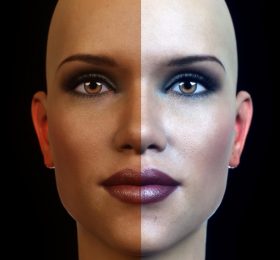
Comparison of our postworked image with the original render. The left half of our woman's face shows the original render and the right half shows our postworked version.

How to make Daz Studio Octane skin look even better through postwork techniques in Photoshop. This tutorial is for beginners.

Filed Under: Daz Studio, Octane Tagged With: daz studio, daz studio octane, daz studio octane tutorial, daz studio postwork, daz studio tutorial, octane, Photoshop, postwork, postwork tutorial

  • « Previous Page
  • 1
  • 2
  • 3
  • 4
  • 5
  • 6
  • Next Page »

Recent Posts

  • Duality of life and death represented by a day of the dead girl with black flowers and butterflies on her headdress surrounded by skeletons. Gothic fantasy woman art. Daz Studio Iray image.What Does Our Art Say About Us?
  • Side by side face comparisons of out-of-the-box Millawa 8 face and skin and multiple tweaked Millawa 8 face and skin.Making Skin Pop with the Daz Studio Iray Uber Shader - Part 2
  • Side by side Victoria 8.1 face comparison of Daz Studio's PBR Iray Skin Shader and the Iray Uber Shader..Making Skin Pop with the Daz Studio Iray Uber Shader - Part 1
  • Item used: VR X01 BYOS Modular by Studio360.3D-Art Contest Winners ~ April 2020
  • Qualifying item used Inside Linday's Daz Studio Iray Scenes by Linday3D-Art Contest Winners ~ March 2020
  • Qualifying item used –Z Beauty Poses for Kalea 73D-Art Contest Winners ~ February 2020
  • Qualifying item: - Li'l Scrap Boy HD for Genesis 8 Male by Pixeluna3D-Art Contest Winners ~ January 2020
  • Qualifying items used –Ancient Tomes by Merlin Studios3D-Art Contest Winners ~ December 2019
  • Shiba contest qualifying Item used: Mech Dancer Outfit3D-Art Contest Winners ~ November 2019
  • Shiba contest qualifying items used – Greeble City Blocks, Greeble City Blocks 2, Greeble City Blocks 3; and Greeble City Blocks 04 by Stonemason.3D-Art Contest Winners ~ October 2019

Recent Comments

  • Catwoman sitting on a papasan chair with several cats around her. Moon in the background.How to Save a Single Frame in Daz Studio
    • DV FiSTer
      - 10 years after you posted this, but THANK YOU!!!I don't get why they don't give a simple - save this ...
    • Dan
      - Thank you! This was very helpful
    • rto3d
      - outstanding solution !! thank you so much :-)
  • Side by side face comparisons of out-of-the-box Millawa 8 face and skin and multiple tweaked Millawa 8 face and skin.Making Skin Pop with the Daz Studio Iray Uber Shader – Part 2
    • Andew
      - Thanks, not originally what it was intended for but the advice in these 2 tutorials has also helped me ...
    • Nix
      - Thanks so much for this. Very helpful!
    • MILT51
      - Wow!!! You are truly a very talented (gifted) artist. I love these tutorials #1 & #2, I never thought ...
    • Adil
      - Hi,I hope everything is good at your end. Please if you can help me with light scene duf file for ...
  • Girl with pink hair, pink dress, and pink petals blowing in the wind. Daz Studio dForce Iray picture. Fantasy Art.How to Save a Daz Studio dForce Frame as a Morph
    • Hal
      - Thank you for the great tutorial! I wonder about a variant. I am trying to create a looping animation. ...
  • Warrior woman riding on a tiger while shooting a bow and arrow.How to Combine Multiple Poses in Daz Studio
    • David
      - Very good and important tutorial. This has been up for years and i still keep coming back to it
  • Girl in white dress looking sad because she has to say goodbye to a good friend.Poser, Daz Studio, Carrara – Which One Should I Use?
    • how me
      - This is well out of date

Copyright © 2026 · Genesis Skins by ShibaShake · Terms of Service · Privacy Policy ·