Think, Draw, Art!

for art lovers

  • Home
  • Gallery
  • Contact
  • Recent Articles
  • Article Categories
    • Daz Studio
    • 3D Art
    • 2D Art
    • Contest

5 Ways to Create ‘Soft Lighting Effects’ in Daz Studio & Photoshop

April 21, 2017 by shibashake 14 Comments

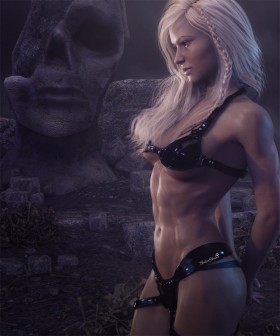
Blonde fantasy art woman standing in front of a large stone statue with bones strewn on the floor.

Some key techniques that I use to add soft lighting effects to my Daz Studio images. Come see before and after images for each of the soft lighting methods discussed.

Filed Under: Daz Studio, Iray Tagged With: atmosphere, daz studio, daz studio soft, daz studio tutorial, Photoshop, postwork, postwork tutorial, soft, soft atmosphere, soft atmosphere effect, soft effect, soft effects, soft light, soft lighting, soft lighting effect, soft postwork, tutorial

How to Transform Your 3D Art into a Charcoal Sketch

February 19, 2017 by Guest Writer 1 Comment

Daz Studio render of a White Walker after it has been converted into a charcoal sketch using Google's Nik Collection toolset.

In this tutorial we use the Nik Collection and Photoshop to turn a 3d-art render into a fine art charcoal study. The process is simple, fun, and a great introduction to the Nik tools, which you can get for free from Google.

Filed Under: 2D Art, Daz Studio, Postwork Tagged With: 3d-art, 3d-art-tutorial, charcoal, daz studio post-work, daz studio postwork, nik, nik collection, nik tools, Photoshop, photoshop nik, photoshop tutorial, post-work, post-work tutorial, postwork, postwork tutorial

Daz Studio Octane Postwork Tutorial

August 18, 2016 by Guest Writer 1 Comment

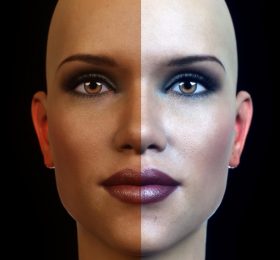
Comparison of our postworked image with the original render. The left half of our woman's face shows the original render and the right half shows our postworked version.

How to make Daz Studio Octane skin look even better through postwork techniques in Photoshop. This tutorial is for beginners.

Filed Under: Daz Studio, Octane Tagged With: daz studio, daz studio octane, daz studio octane tutorial, daz studio postwork, daz studio tutorial, octane, Photoshop, postwork, postwork tutorial

Recent Posts

  • Duality of life and death represented by a day of the dead girl with black flowers and butterflies on her headdress surrounded by skeletons. Gothic fantasy woman art. Daz Studio Iray image.What Does Our Art Say About Us?
  • Side by side face comparisons of out-of-the-box Millawa 8 face and skin and multiple tweaked Millawa 8 face and skin.Making Skin Pop with the Daz Studio Iray Uber Shader - Part 2
  • Side by side Victoria 8.1 face comparison of Daz Studio's PBR Iray Skin Shader and the Iray Uber Shader..Making Skin Pop with the Daz Studio Iray Uber Shader - Part 1
  • Item used: VR X01 BYOS Modular by Studio360.3D-Art Contest Winners ~ April 2020
  • Qualifying item used Inside Linday's Daz Studio Iray Scenes by Linday3D-Art Contest Winners ~ March 2020

Recent Comments

  • Catwoman sitting on a papasan chair with several cats around her. Moon in the background.How to Save a Single Frame in Daz Studio
    • DV FiSTer
      - 10 years after you posted this, but THANK YOU!!!I don't get why they don't give a simple - save this ...
    • Dan
      - Thank you! This was very helpful
    • rto3d
      - outstanding solution !! thank you so much :-)
  • Side by side face comparisons of out-of-the-box Millawa 8 face and skin and multiple tweaked Millawa 8 face and skin.Making Skin Pop with the Daz Studio Iray Uber Shader – Part 2
    • Andew
      - Thanks, not originally what it was intended for but the advice in these 2 tutorials has also helped me ...
  • Girl with pink hair, pink dress, and pink petals blowing in the wind. Daz Studio dForce Iray picture. Fantasy Art.How to Save a Daz Studio dForce Frame as a Morph
    • Hal
      - Thank you for the great tutorial! I wonder about a variant. I am trying to create a looping animation. ...

Copyright © 2026 · Genesis Skins by ShibaShake · Terms of Service · Privacy Policy ·